In this passage we will be introducing a convenient Ethereum wallet-MetaMask, a special blockchain wallet. It can only be used in Chrome as it is a Chrome extension. Still, MetaMask is very popular.
Google Chrome has already become the most widely used browser, at least among the blockchain circle if not among the world. It supports the newest web standards and has a powerful extension system. ETH wallet MetaMask is also a Chrome extension.
MetaMask is not simply a wallet. It allows users to easily interact with the Ethereum smart contracts.
Like most of the wallets, MetaMask will not store users’ wallet data, which means all the wallets’ keys and passwords are owned by users themselves. Even if MetaMask stopped update, users can still get their tokens back from the wallets using their private keys.
Official website: metamask.io
The registration of ETH account and installation of wallet extension will happen at the same time.
Installation steps:
1.Enter the download page here, click on “Add to Chrome” to add this extension. Simply follow the steps on the screen and you will finish the installation. You can also check the detailed installation tutorial in the follow videos.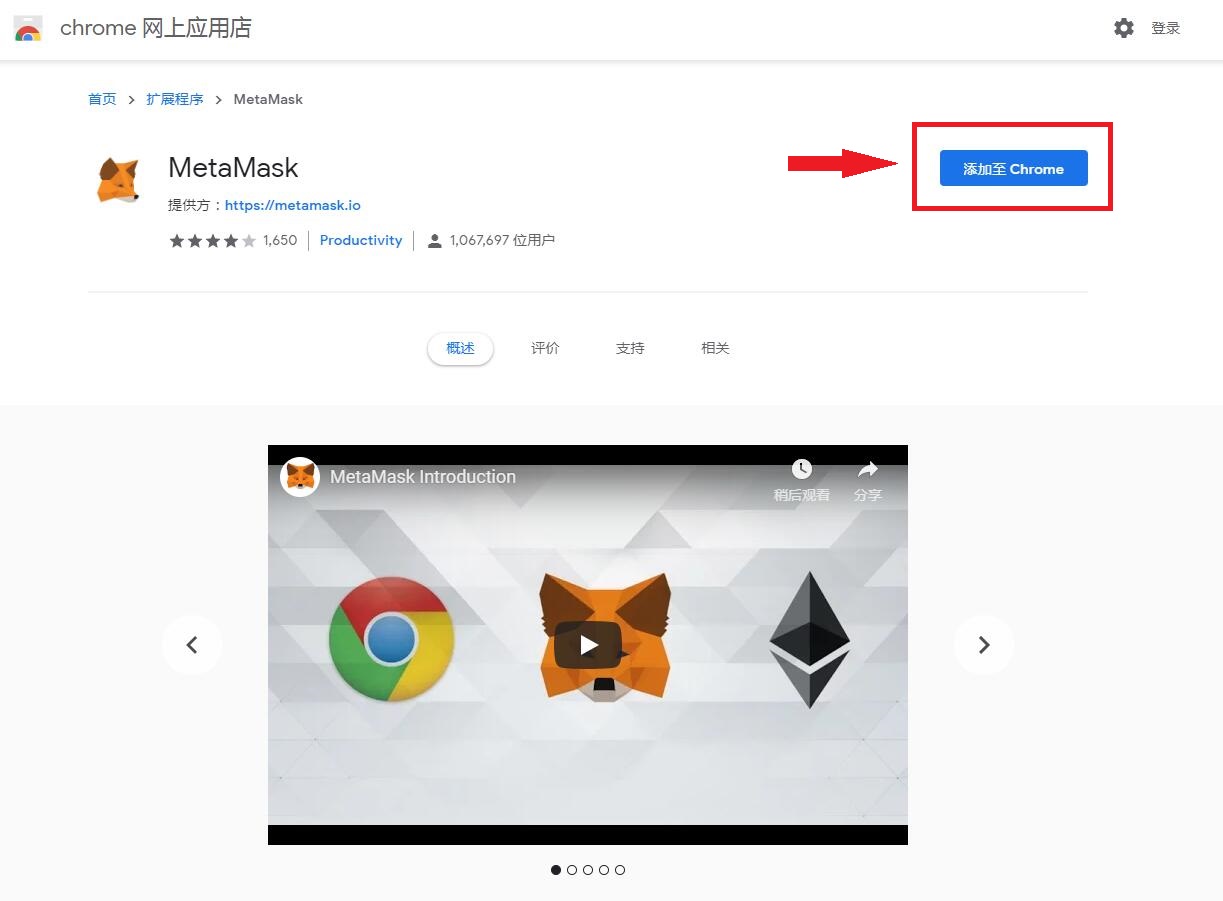
When the installation is finished, you will find the icon of it on the right of the website address bar. You have to agree to its terms and conditions when you use it for the first time.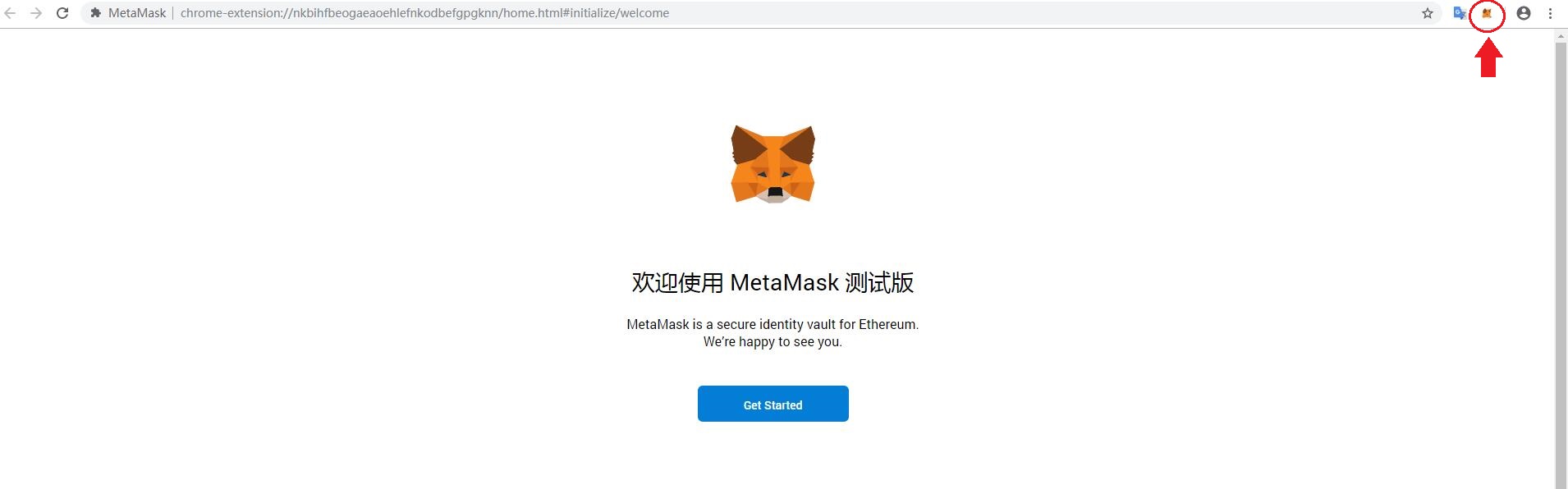
2.Then, you have to choose to either import your wallet or create a wallet. Here, we will select “Create a Wallet”.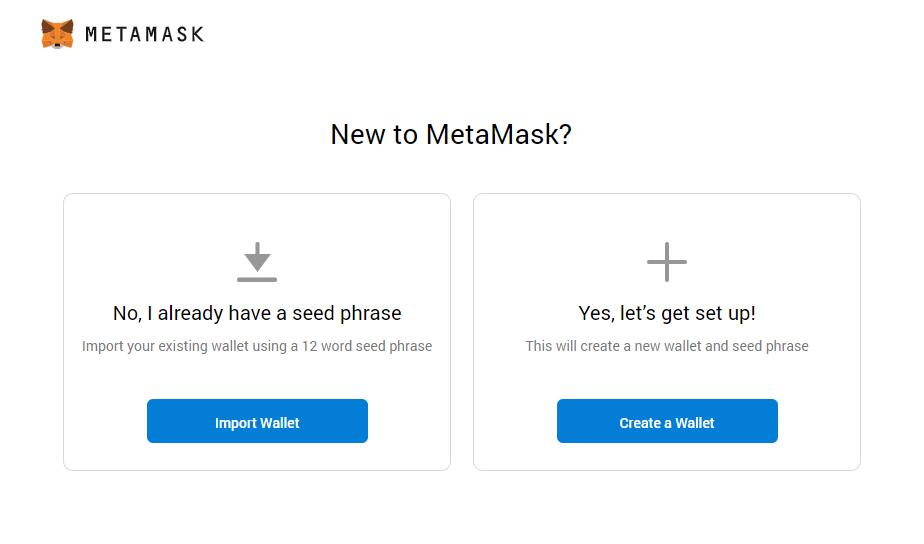
3.Set up your password.
4.Then, the system will randomly generate a password alternative composed of 12 English alphabets. This password alternative will allow you to back up your files and recover your account with ease. Be careful: we strongly recommend you write down this password alternative and keep it in a safe place. Don’t let other people know it!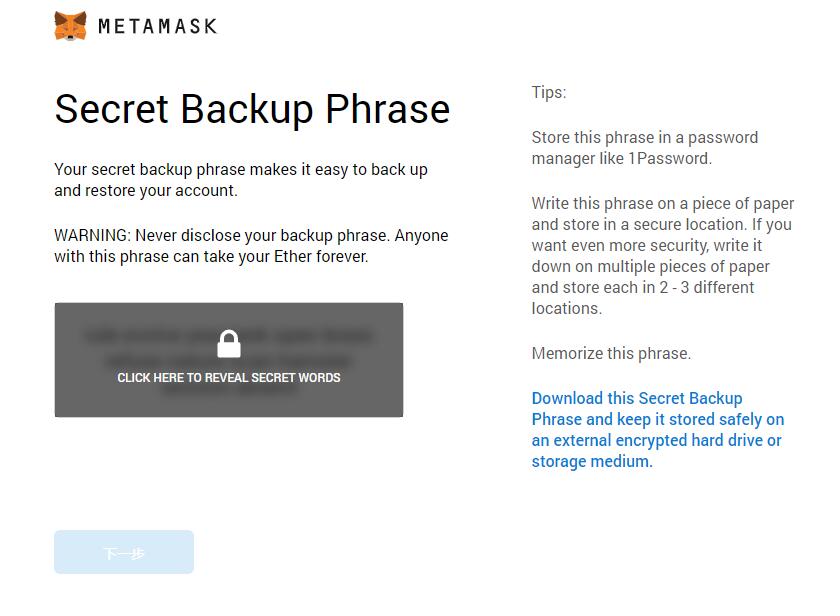
On the next page, you will have to confirm your password alternative by entering it again.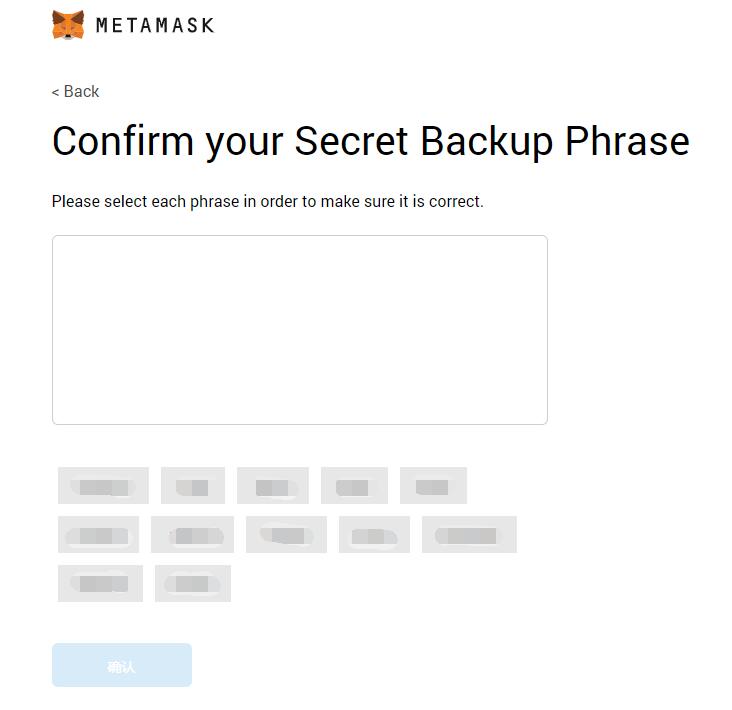
5.Congratulations! You have successfully created your MetaMask wallet.
MetaMask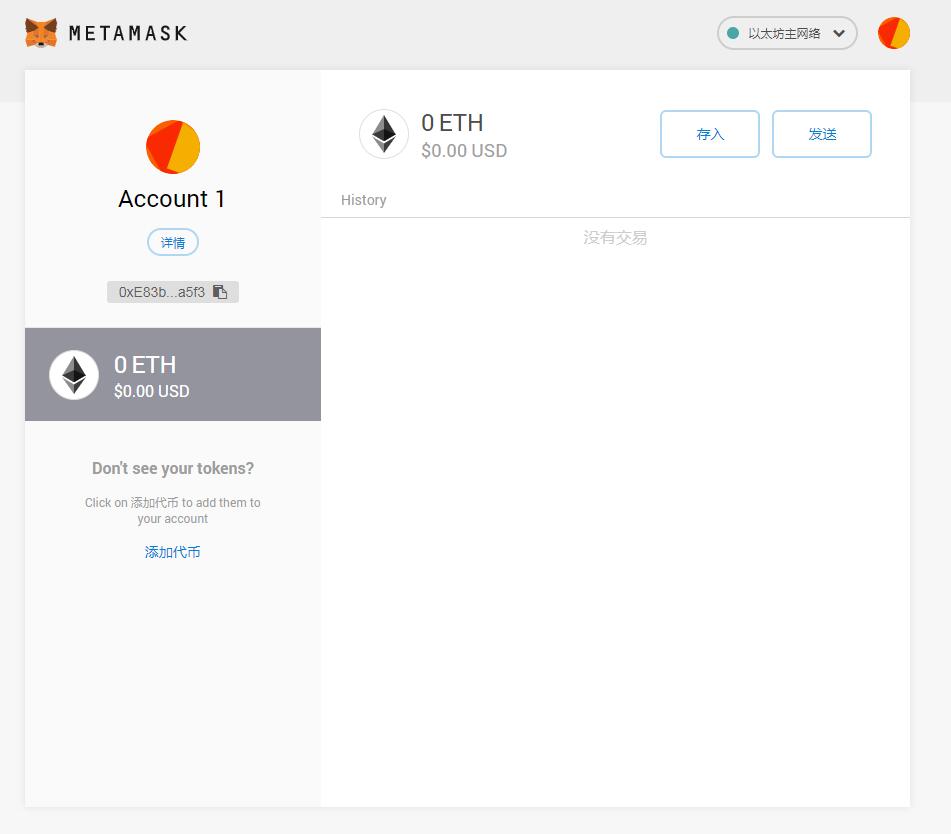
After you finished the remaining installation steps, you will see the main menu of MetaMask.
If you restart your Chrome, MetaMask will ask you for password you decided earlier.
You can open the MetaMask by clicking the icon on the right of the website address bar as well.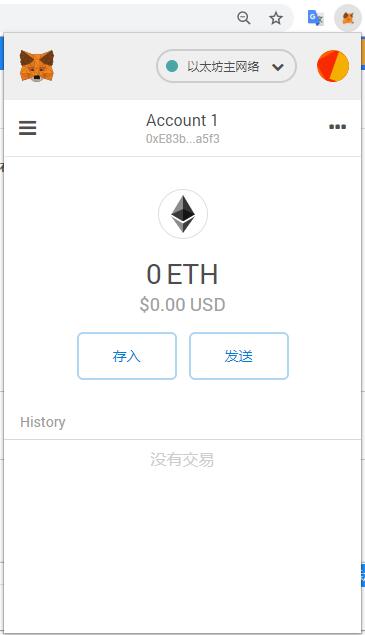
The string of characters below “Account 1” is your ETH wallet’s website.
Interested in Block Chain Game, Welcome to JBB.ONE
![[お知らせ]日本語サイトの更新停止のお知らせ](https://www.jbb.one/f/dynamic/img/89f47dd670454ab9a00a8a95501a0b12.png!sss)